Moving Around
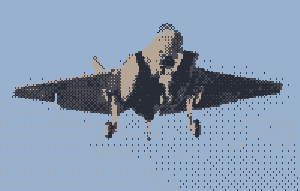
In the last post, I set up the window and the camera. Now it’s time to add some movement to the plane.
First, let’s remember an aircraft always move forward (if it’s not falling) and it can change its direction by changing its orientation, what we know as “pitch”, “yaw”, and “roll”.
But for demonstration purposes, I’ll move an object in 3D instead of the camera.
Model Transformation⌗
Let’s start with placing model on our surface. The first vector is its position, the scalar is its scale, and the last one is its color (if not textured).
DrawModel(model, (Vector3){0.0f, 0.0f, 0.0f}, 1.0f, WHITE);
Roll⌗
Roll is the rotation around the z-axis, and it is usually controlled by the ailerons.
In order to roll the model (rotate it around the z-axis), I’ll use “raylib” MatrixRotateZ function.
// roll is the angle in radians
model.transform = MatrixRotateZ(roll);
And the result can be seen in the video below:
Pitch⌗
Pitch is the rotation around the x-axis, and it is usually controlled by the elevators.
Let’s use “raylib” MatrixRotateX function to pitch the model:
// pitch is the angle in radians
model.transform = MatrixRotateX(pitch);
And the result can be seen in the video below:
Yaw⌗
Yaw is the rotation around the y-axis, and it is usually controlled by the rudder.
Let’s use “raylib” MatrixRotateY function to yaw the model:
// yaw is the angle in radians
model.transform = MatrixRotateY(yaw);
And the result can be seen in the video below:
How to combine all together and control the plane using the keyboard will be covered in the next post.
B.T.W, How I created those videos using “raylib”? This is a subject for another post :)